Intelligent and stylish, Williwaw is a designer fan controlled via a dedicated smartphone app.
Available on the Apple App Store and Google Play Store, the Williwaw Fan app allows you to easily control and program your Williwaw.
Williwaw starts automatically when it detects a temperature differential between the floor and the ceiling, thanks to its extremely sensitive remote sensors.
Williwaw’s shutdown can be programmed, from 15 minutes to 10 hours.
Place one sensor near the floor and the other near the ceiling, set the maximum gap you allow, and Williwaw will do everything possible to harmonize the temperature via the Convection mode in its App.
Need a cool night without the noise? Put Williwaw in night mode!
The fan will automatically adjust the airflow to provide a refreshing and comfortable breeze throughout the night. All this with ultra-low power consumption: 5 watts to cool a room, compared to 2500 watts for a standard air conditioner.
With a tilting head and adjustable height, this smart pedestal fan is designed to be set once and then forgotten.
Williwaw is both a fan and a destratifier that combines performance, intelligence, and modern design with silent operation and durability—earning unanimous praise from its users.
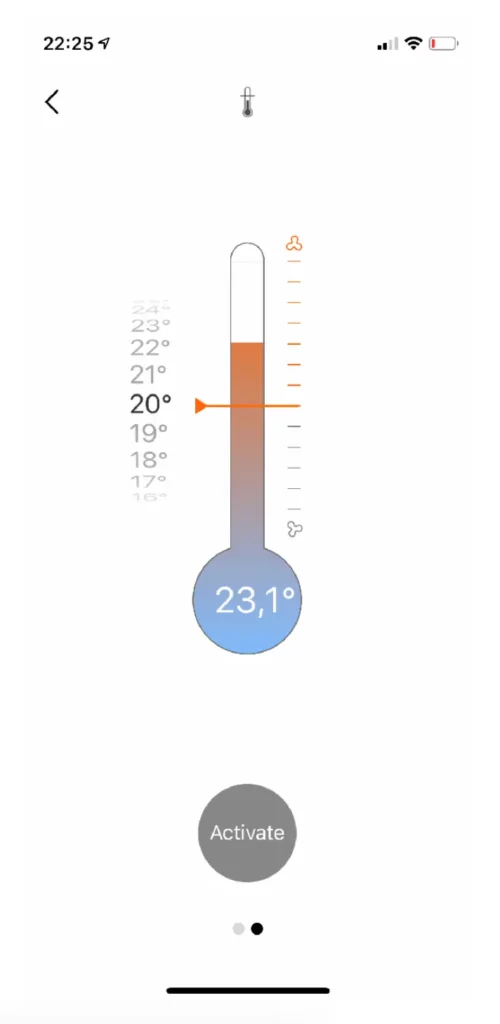
Set the Williwaw trigger threshold by sliding your finger over the numbers to the right of the thermometer.
In this example, the temperature (23.1°C) is higher than the set threshold (20°C). Press “Activate” and Williwaw will start cooling you down.
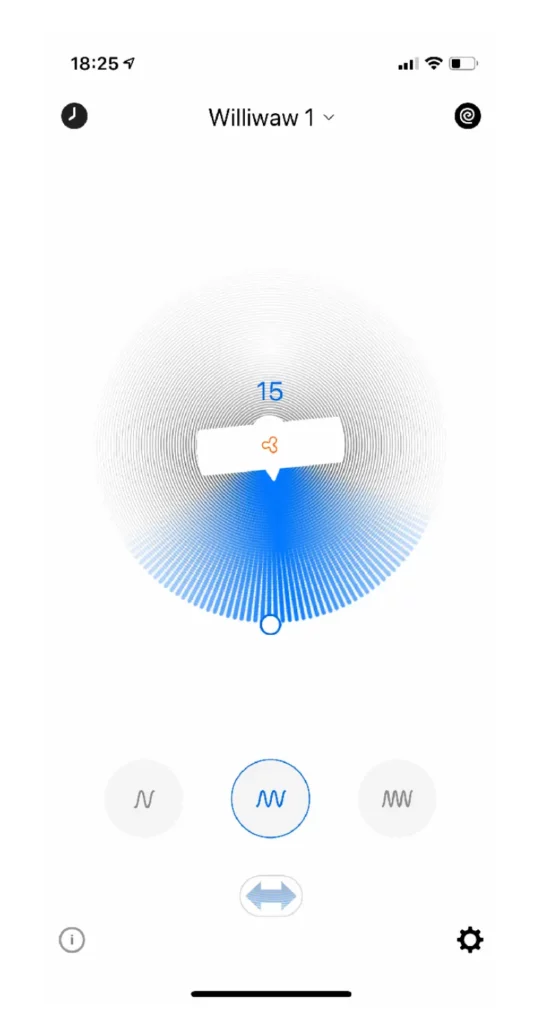
Adjust the speed on the Williwaw itself, via the app, or using the control button.
If the temperature drops below the set threshold (20°C), Williwaw stops spinning. This prevents you from being woken up by a draft that is too cold and ensures your baby doesn’t catch a chill.
Press the double arrow at the bottom and Williwaw starts to oscillate.
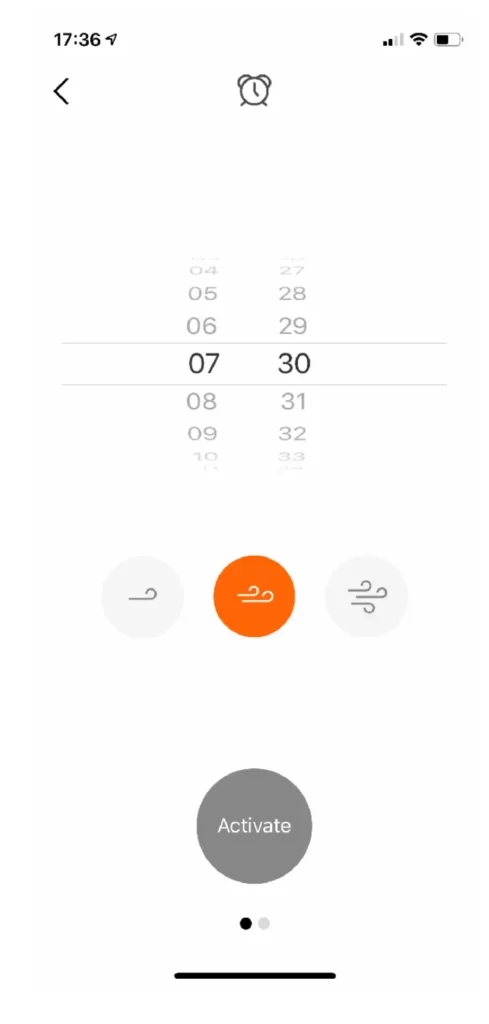
You can choose to be woken up at any time by a light breeze, a steady wind, or a full-on storm!
Select the intensity and press “Activate.”
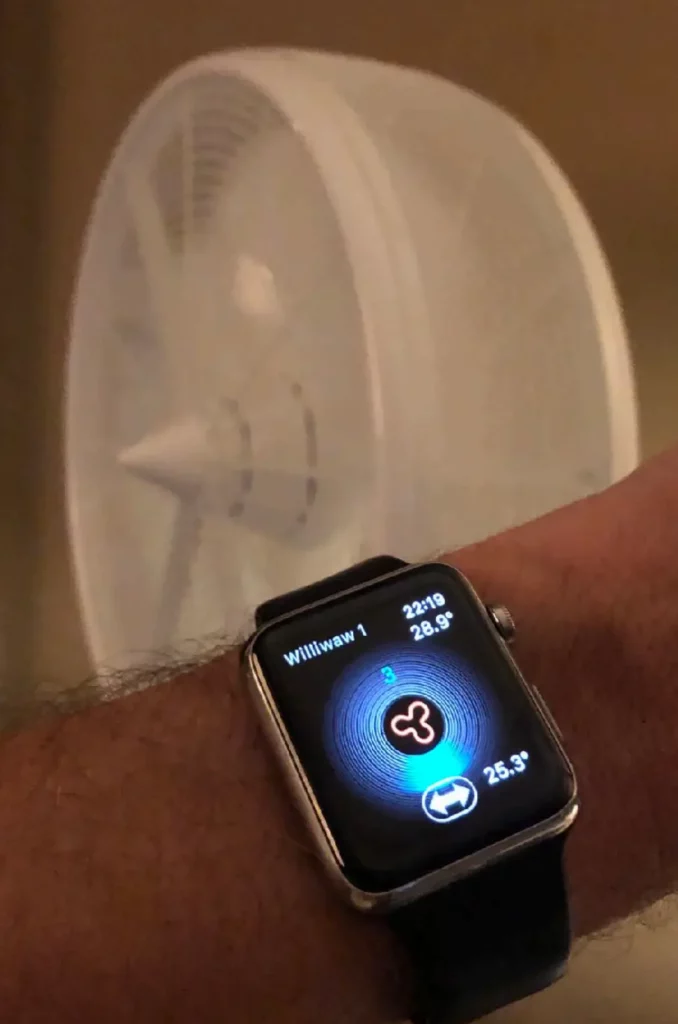
Control your Williwaw from your Apple Watch.
On/Off by pressing the Clover icon.
Oscillation On/Off by pressing the double arrow.
Adjust speed by turning the Digital Crown. You can even see the floor and ceiling temperatures displayed right on your wrist!